Showing posts with label Mosaic Reviews. Show all posts

November 4, 2013

See The Light - Peaceful Seas Review

Art is my all time favorite subject. I love every part of creating art. When I had the opportunity to review See The Light Art Project, I was thrilled. I had seen these, even drooled over them.

I received the Peaceful Seas DVD. We were excited to do this project. There are 4 videos, each one is less than 30 minutes long. They are easy to follow and beautifully done. You then work on what she demonstrated in the video.

PEACEFUL SEAS includes an in-depth Art History focus on the style of Winslow Homer, explores related Art Elements and Art Principles, and uses a variety of media. Biblical integration is woven into every single lesson!
PEACEFUL SEAS is geared for ages 10 +. The 4 lesson DVD runs approximately 2 hours, but the student should allow approximately 3 to 4 hours to complete this fabulous work of art!
- See more at: http://www.seethelightshine.com/store/art-projects/art-projects-peaceful-seas.html#sthash.nZZVBh0L.dpuf
PEACEFUL SEAS includes an in-depth Art History focus on the style of Winslow Homer, explores related Art Elements and Art Principles, and uses a variety of media. Biblical integration is woven into every single lesson!
PEACEFUL SEAS is geared for ages 10 +. The 4 lesson DVD runs approximately 2 hours, but the student should allow approximately 3 to 4 hours to complete this fabulous work of art!
- See more at: http://www.seethelightshine.com/store/art-projects/art-projects-peaceful-seas.html#sthash.nZZVBh0L.dpuf

Watch and Produce Your Own Masterpiece
in 4 Step-By-Step Lessons with Master Artist Pat Knepley!

PEACEFUL SEAS is the eigth in a series of ART PROJECTS that advance skills and learning as students complete wonderful works of art in the style of a variety of famous artists.
PEACEFUL SEAS includes an in-depth Art History focus on the style of Winslow Homer, explores related Art Elements and Art Principles, and uses a variety of media. Biblical integration is woven into every single lesson!
PEACEFUL SEAS is geared for ages 10 +. The 4 lesson DVD runs approximately 2 hours, but the student should allow approximately 3 to 4 hours to complete this fabulous work of art!
- See more at: http://www.seethelightshine.com/store/art-projects/art-projects-peaceful-seas.html#sthash.nZZVBh0L.dpuf

Reviews from my crew:

Dragon: I enjoyed the videos. I wish that she would use the correct terms for somethings. She would call it one thing and then change it to another. I really like learning about Winslow Homer. Her instructions were easy to follow and remember for when you were doing the project later.

Tracker: I didn't care for her tone voice. I didn't like the videos, I would rather just do the project and learn as I go.

Squirrel: The videos are OK. The project were just right. They were not too easy, but not too difficult.

Mom: I thoroughly enjoyed the videos. I found her instructions perfect for me. I learned something new. I appreciated the fact that I could skip over the scripture part of the videos. I would recommend this video to my friends. I am actually planning on purchasing the rest of the series to fulfill necessary to complete a high school credit.


The Basics:
See The Light Christian Homeschool Art Class
Peaceful Seas DVD $14.99
ENTIRE Art Projects boxed set: $99

You can also purchase Art Class to learn everything from basic skills to advanced techniques.


To read the rest of the teams reviews, click here.


September 5, 2013

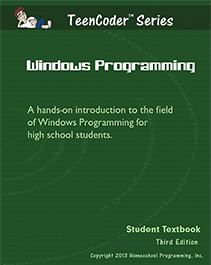
Homeschool Programming Review Teen CoderC# Series

I don't know about you, but the thought of teaching my child any computer skills terrifies me. I can teach them the basics, but programming? That is a foreign language to me. That is why I was so excited to get the opportunity to review TeenCoder C# Series from Homeschool Programming.

TeenCoder Series

Homeschool Programming has two different programs, KidCoder and TeenCoder. Homeschooling Programming Inc is the brainchild of two homeschooling parents who have degrees in Computer Science and over 17 years experience in the  software industry.  Homeschool Programming, fills the void for an all in one computer science program for children.
The TeenCoder C# Series has 2 courses, Windows Programming and Game Programming. Each course should take a semester complete, depending on the pace of the child. They are able to complete this at their own pace. The TeenCoder C# Computer Programming Series can be used to fulfill your high school students requirement for computer class.

Dragon started the Windows Programming Course and loved it.


I asked my 15yr old, Dragon to write this review:

I like it. My overall opinion is it is fun and easy to do. I liked the fact that it was easy to understand, I didn't have to ask for help. Each lesson was well planned and fun to complete. One time I made the computer beep and mom thought I broke it. That was a good laugh! My favorite lesson was Lesson 6, user input.

I would recommend this program to all of my friends. I cannot wait to start the Game Programming Semester!

The Good:

~Student paced independent program. 
~Easy to understand
~Great customer service
~I will be recommending this program to all of our homeschooling friends.
~I do recommend printing out the book or getting the printed version. 

The Bad:

~I had a very hard time with Windows 8. This has NOTHING to do with the program, but Windows 8 itself. We just installed it on an older laptop and it was Great..Easy to install. I honestly wanted to throw my computer out the window. They tried to help us, but it was getting frustrating on my end. It had NOTHING to do with them...it was all me.

Product Information:

TeenCoder C#  Year Pack: $130
TeenCoder C# Year Pack with Videos: $155

For more information you can visit them here.
Want to try before you buy? Check out their amazing samples page.
 

If you would like to see what others members of Mosaic Reviews thought of Homeschool Programming you can go here to check them out.


June 27, 2013

Mosaic Review... Classical Historian

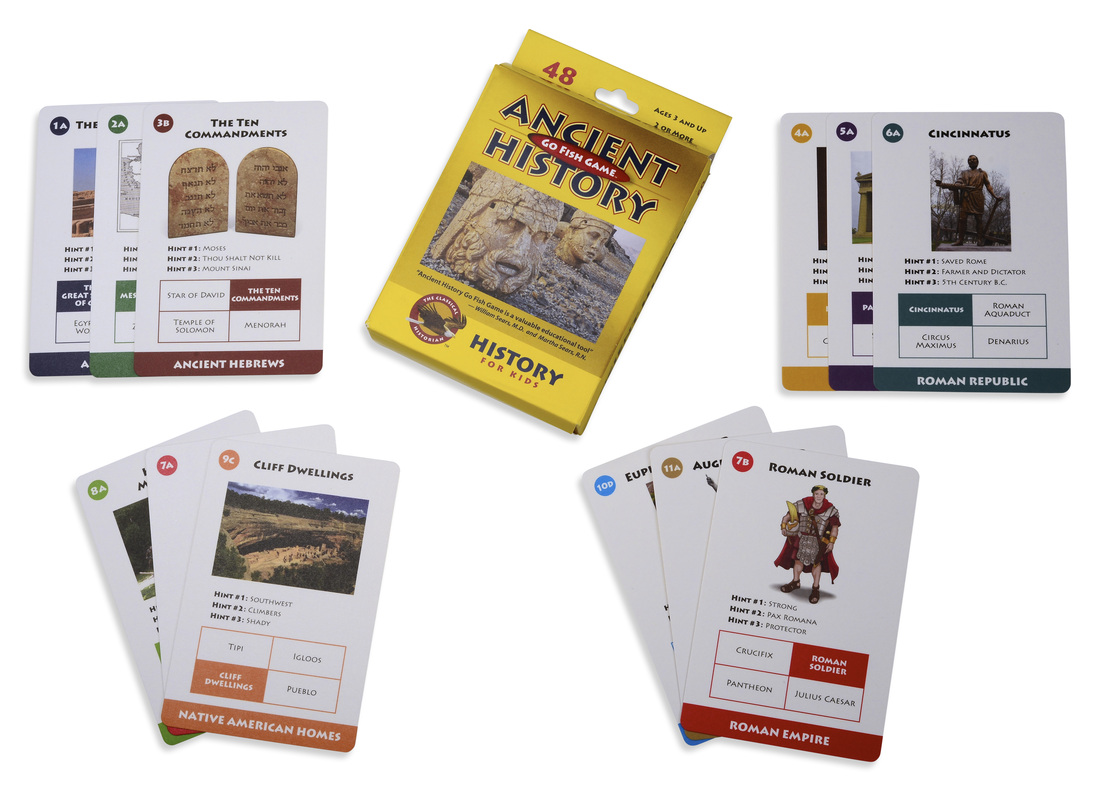
I was lucky to be chosen to review two items from The Classical Historian, Ancient History Go Fish and Take a Stand! Modern American History. When I first opened the package my kids all begged to play Go Fish! This was a great way to introduced Ancient History to my children. Squirrel loved the game. We played it two different ways, we played Go Fish first and then we quizzed Dragon on all the cards. He knew every single ones. We even talked Fire Rat into playing. We must of played the game everyday for 2 weeks straight. This has been the spring board for many discussions and searches on the computer. I highly recommend this game to everyone I know! This is a game that can be played and loved by all ages. One of my favorite parts of the game are the cards themselves! They are much more than a playing card. Each card has hints (this is what we used to quiz Dragon), the era the card is from and lists the other 3 cards needed to make a set. 

Picture 

Take A Stand! Modern American History is a one year high school class. The complete curriculum comes with the following items:
1.   32 Week Detailed Guide for the Parent/Teacher with Take a Stand! Key -  62 Pages
      2.   Take a Stand! Modern American History Student's Book - 89 Pages
3.   Teaching the Socratic Discussion DVD Curriculum - 3 DVDs, 77 Pages
4.    A Patriot's History to the United States, Textbook

5.    The Patriot's History Reader, a Primary Source Book
 
The 32 Week Guide has walks you through the entire curriculum. The lessons are well planned and very east to follow. I do not know much about Modern American History and I found this guide to be informative and it made me want to learn right along side my child. 
Take a Stand! Modern American History Student's Book is broken down into 2 different sections, Part On: Social Studies Curriculum and Part Two: Social Studies Literacy Curriculum. The firs part takes your child from Immigrations to Religion to The New Deal and Technology as a Cause for Change.  Each chapter takes your child through the process of writing an essay. The first page of every chapter has a brief description, terms to become familiar with and a chart to write down the due dates of each assignment. There are open ended questions that encourage your child to think for themselves, think on a higher level, and organize their thoughts. I found this perfect for my oldest, Dragon. He loves to research and write.
Teaching the Socratic Discussion DVD Curriculum comes with 3 DVDs.  The DVDs are not only for the teacher, but for the children as well. The DVDs will teach you how to use the Socratic Discussion method to your children. You will get to see a Socratic Discussion. The last DVD will teach the Tools of the Historian. I appreciate this addition to Take A Stand! Modern American History curriculum. I am a visual and audiotry learner, and this makes it easier for me to get a grasp on what I am teaching. 
 Overall I love this program for my oldest. I think that it plays to his strengths and that will only encourage him to love history even more. 
 Product Information:

  Recommended for ages 5-195.

 A Complete One Year History Curriculum for High school.
The Classical Historian offers Games for All Ages. You can view the games here.  
The Classical Historian also offers Ancient Civilizations, Medieval History and American History for grades 6-8. You can find them here. 
They are even going to offer online classes!   

If you have any questions, you can contact them by email. 
You can also find the Classical Historian on Facebook.


May 22, 2013

Create Your Homeschool Transcripts with Confidence

This month makes it official, I now have a high school student! There is so much more to consider, credit hours, graduation requirements, extracurricular activities, SAT and an official transcript. The one thing on that list that scares me more than anything is the transcript. The big bad transcript, the one thing that summarizes my child's high school years...it a daunting task to do on your own. Luckily for me and other homeschoolers there is a wonderful new website, My Home School Grades.

My Home School Grades was created by John Echols and Jordan Shute. JOhn Echols is a homeschooling father. Jordan Shute is a homeschool graduate whose passion is computer programming. John & Jordan put all of their personal experiences and knowledge into My Home School Grades! What could be better that homeschoolers helping other homeschoolers?

My Home School Grades provides a secure place to record your students classes, grades, and extra curricular activities. My Home School Grades allows you to print out official transcripts when you need them. There is no need to send away for them.

This less than tech savvy person found this program very user friendly. Once you add your student you are able to create their classes. They have done most of the work for you! You choose the title of the class, the subject, the credits(if needed), grade level and whether or not you would like to grade it. My Home School Grades has many homeschool curriculum publishers preloaded for easy record keeping. If your publisher is not listed, you can choose other or contact them and they will add it as soon as they can.

My Home School Grades customer support is second to none. They have how-to videos to guide you for every step in the program.
 

If you need help beyond the videos, or prefer to speak directly with them, you can contact them via email or even call them directly. You can tell by their wonderful customer service, that this is their passion. They truly want to help you succeed in creating your child's transcript.

My Home School Grades information:

 5 Things I Love:
  1. It is super easy to use.
  2. It allows flexibility.
  3. I can use my own curriculum
  4. It calculates final grades for me. 
  5. I no longer dread record keeping or transcripts.
What I would Improve:
     1. Grading Scale...my state requires a different grading scale. They are currently working on making this an option! Yeah!
     2.  Projects...I wish there was a way to include projects. We do a lot of project based learning.

Those would be my only suggestions. I know that this program is only going to get better. They are constantly improving it and making changes.


May 1, 2013

Saving Memories Forever Review


   Saving Memories Forever
Saving Memories Forever turns your smartphone into a family history recorder. Just sit down with your kids, parents or grandparents and hit record. Every Story Teller has the opportunity to share there thoughts and memories. Saving Memories Forever provides you with a list of story starters. They are questions that go from their childhood into adulthood. They ask everything from sing your favorite song to what historical events do you remember to tell us your favorite joke. You can always add your own questions.

The neat thing about the smartphone app is the upload button. The upload button uploads your story to their website. Once on their website you can edit your story, add pictures, and share your memories with your family. Your stories are safe on their secure website.

My thoughts:

I wish that I had this app before my grandparents passed away. I would love to be able to hear my grandfather's voice again. I can imagine standing next to my grandmother and recording us cooking together. :) I think that Saving Memories Forever is an amazing app. I plan on taking this with me when I travel and see family this summer. I am hoping to use the app to have a cooking session with my mom. What fun would it be for my daughter to be able to always cook besides her grandmother! I want to capture as many memories as I possibly can.

Saving Memories Forever has a free and a subscription account. The subscription is only $3.99 a month! Not bad. You can use their comparison chart to decide which is the best fit for your family.

Get the FREE app here.


April 26, 2013

Spanish for You! Review

                                   Picture


Spanish for You! is an affordable Spanish curriculum designed for elementary and middle school children. Spanish for You! is a great introduction to the Spanish language. Spanish for You! uses a thematic approach to teach the fundamentals of the language. I received a copy of their Estaciones curriculum. I received e-books of the teachers manual, worksheets, audio and the native speaking audio. 

Tracker was especially excited to start this program. He has wanted to learn a second language for a long time. He loved the fact that it a 'short' lesson everyday. He enjoyed the audio portion of the curriculum. This is perfect for his dyslexia. He is able to hear it and not rely solely on the reading. The one thing that he did find confusing were the pictures for the flash cards. He had a hard time differentiating between a few of the words. We are in the process of redoing the cards, so that they are less confusing for him. 

I found the downloads a little confusing. The original worksheet downloads were not sorted by grade. I am happy to report that Debbie from Spanish for You! has already made that correction. I would also of preferred for the audio to be just a tad bit slower and easier to go back. I found it difficult to just replay one word. We ended up listening to the entire lesson over a few times to.

Our overall opinion was favorable. I think that this is a great starting point for the elementary age group. I would recommend this curriculum to my friends. 

Spanish for You! offers FREE mini lessons and worksheets. 

You can purchase  a 4 or 6 week trial....

 4 week trial of the Viajes (travel theme)  Grades 5-8 for $9.99
 6 week trial of the Viajes (travel theme)  Grades 3-4 for $12.99

Spanish for You! has a variety of packages available:

Fiesta: $39.95 for 2 grade levels or $64.95 for grades 3-8
Estaciones: $39.95 for 2 grade levels or $64.95 for grades 3-8

Teacher lesson plans are also now available. They are $12.95 - $14.95.


April 11, 2013

Apologia Planners...Review

I have admitted many, many times that I am a disorganized person. I would love to get better organized, it would help my perfectionist side. Yes, I am disorganized perfectionist. When I was offered the Apologia Planners Review, I jumped at the chance. I told my kids about the planners, they were excited. I was excited that they were excited!

When the package arrived, my kids argued about who could open it. I received The Ultimate Homeschool Planner, The Ultimate Daily Planner for Students, and The Ultimate Weekly Planner for Teens. I knew that Dragon would like the planner, what surprised me was how much Tracker wanted one. He sat down with the Teen Planner and immediately asked me to purchase one for him. I did just that. I found ordering the planner quick and effortless. The planner arrived quickly and in perfect condition.

I really cannot say enough about The Ultimate Homeschool Planner by Debra Bell. I sat down to flip through the planner and ended up reading every single page. I found tips on how to encourage my children to become independent learners. There was advice on becoming a better teacher and just a better person. There are a variety of planning pages included in the planner. They include yearly planning sheet, goal sheets, a resource list, a field trip recording and much more. The monthly planners are blank, which allows easy personalization. The weekly planners gave you a couple of options on the layout. I chose to list the subjects at the top and the children's names along the side. I like this because, I feel like it is less structured. I set it up as a weekly goal, it is not set to one day. This allowed my rebellious side out.

The Ultimate Weekly Planner for Teens is just as great, if not better than mine! It really gives responsibility to the teen. There is an area for the teen to track his own hours and even keep track of his credit hours. The back of the planner has tips, tricks, and guides of all kind. My favorite part was a couple of pages on how to cite references. I find the encouraging quotes perfect! They are not too young, nor too old. I think that all teens would find them helpful.


The Ultimate Daily Planner for Students, is perfect for students of all ages. It has a little bit more writing room than the Teen Planner. Just like the Teen Planner, this planner has pages full of tips and data. There is suggested reading list, a fraction chart, and a space to record your own activities.  Once again, I love the fact that it is all geared to the kids becoming independent learners.


Final Opinion:

These planners are well worth the money. They have a  spiral binding and plastic covers. I really think these were made for people like me.  The planners will be a valuable resource for your homeschool. I never knew what I was missing until I received my planner.

Pros:
  • Spiral Binding
  • Laminated cover
  • Undated monthly and weekly planner
  • easily customizable
  • Informative guides
  • Encouraging words for the parents and students. 

Cons:
  I really couldn't find one. The one thing that I would love is a chart to track our days. We have to homeschool for 180. I would love to see that included in the planner. The other thing that I would like to see is more pages to record the books read. We tend to read a lot of books in our house.


Product Information:
 Apologia Planners


March 23, 2013

Teaching Finacial Independence....FamilyMint Review

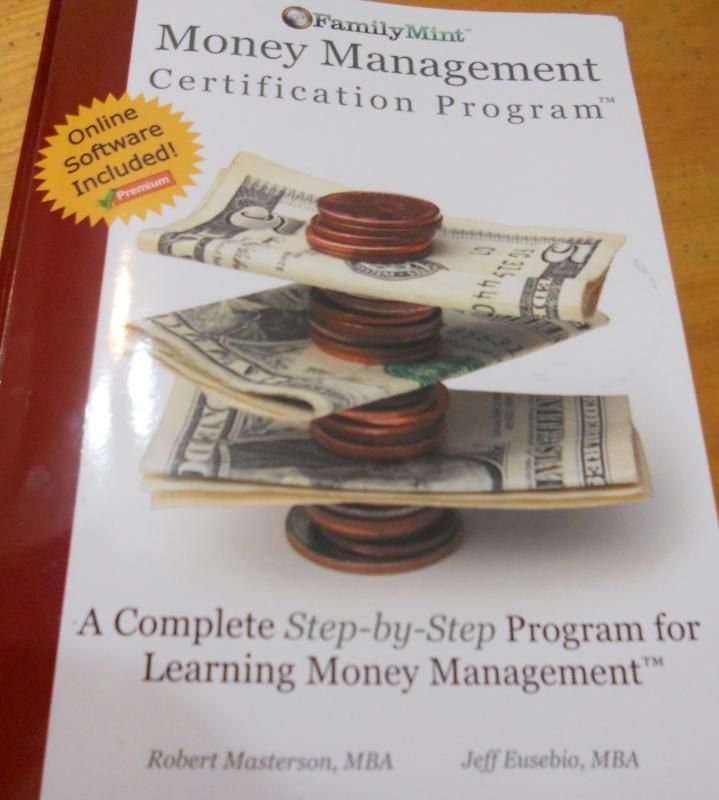
In today's economy, teaching financial smarts is a requirement. One of my goals of  homeschooling is to make sure that my children are responsible and independent. I think that a key to that is financial no how. When I went to school, we didn't learn about finances. This is why I was so excited to review FamilyMint's Money Management Certification program.


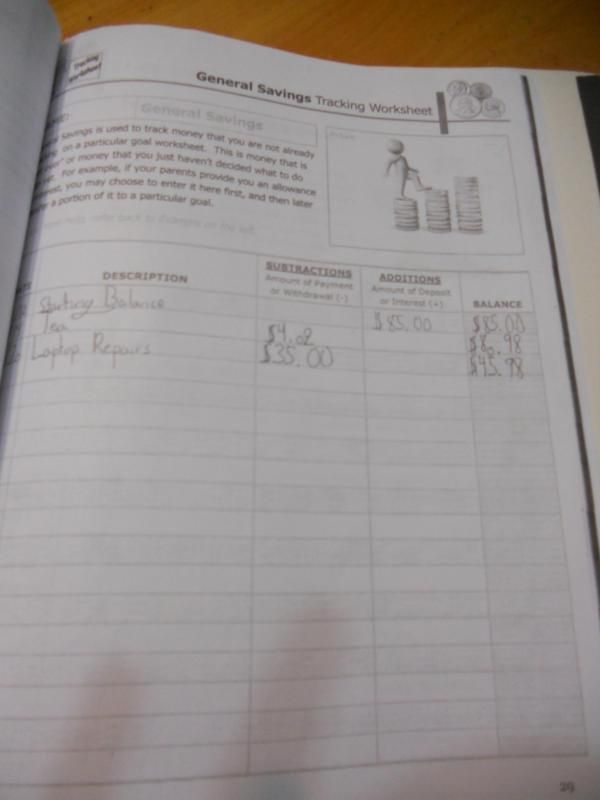
I could not wait to start the program once I received their workbook. The workbook is broken up into 4 chapters, Tracking Your Money, Goal Setting, Budgeting and Interest-Growing$. Each chapter includes information and worksheets for the children to use. I made copies for the kids and put them into their own folders. The index card is covering up Dragon's log in information for Family Mint Online.


The first thing that my children did was count all their money and log this as their beginning balance. Once everything was done in their folder, we then entered everything online. FamilyMint suggested that the children make a money jar to keep their money in. My boys did not particularly like this idea, Squirrel used an old money jar that she made last year.


Once they logged their totals into their balance sheet, we talked about the importance of saving money and setting goals. This is a difficult task for even adults. They each picked a goal to save up for. Tracker chose a new snake, Dragon a Crème Brule Torch and Squirrel is saving her money for a cake decorating class. I thought that these were great goals! We then spoke about the envelope system. My kids had a little difficulty with this task. I had to sit down with each one and speak with them. Once this was done they got a handle on it.


My overall opinion of this program is good. My kids really enjoyed writing their own checks. I think that it is necessary program for high school students. If we make sure that they have a good financial understanding, they just might not rack up all those credit cards. You should include this in your curriculum!

One other thing that I loved is that this program was great for all three kids. Two of my children prefer pen & paper and the other is completely digital.

FamilyMint offers the following options:

1. Introductory Offer:
        Money Management Certification Program Workbook + a LIFETIME subscription to the FamilyMint Premium...only $29.99!

2.  Premium Online Application Subscription:
      Annual: $24.99    Monthly: $4.95

3. Free online application only

You an find out more information on their product here.


February 26, 2013

Review: Seed Starting - The First Step To Gardening

One of my favorite places to be is in my garden. I love the idea of growing the food that feeds my family. I do not have a big yard, less than half an acre, but I always try to have a garden. While I have been gardening for a few years, I am really a novice. There are some things that I just didn't understand. When I was giving the opportunity to review Seed Starting - The First Step to Gardening by Gary Emmett, I jumped at the chance. I was hoping to get some practical advice in a straight forward manner. I found that and more in this Kindle Book. I learned what makes quality planting material. I finally figured out why I cannot grow squash from seeds...transplant shock! Who knew? Mr. Emmett suggested starting your own gardening journal. In your journal you should sketch your garden, plan your plantings, and record your sowing dates. I cannot wait to start my 2013 garden journal!

I recommend that you get this book before you start your seeds this year. You cannot beat the price $2.99! Get your copy here.


February 23, 2013

Blog Planning Made Easier

I am so happy to review this product. I have looked at blog planners for years, wishing that my blog was big enough to warrant one. When I became a member of Mosaic Reviews, they asked me to pick a blog planner to review. I chose Mama Jenn's Blog Planner. It was the single best decision that i have made for my blog. I really do not understand how I have gone this long without this planner.


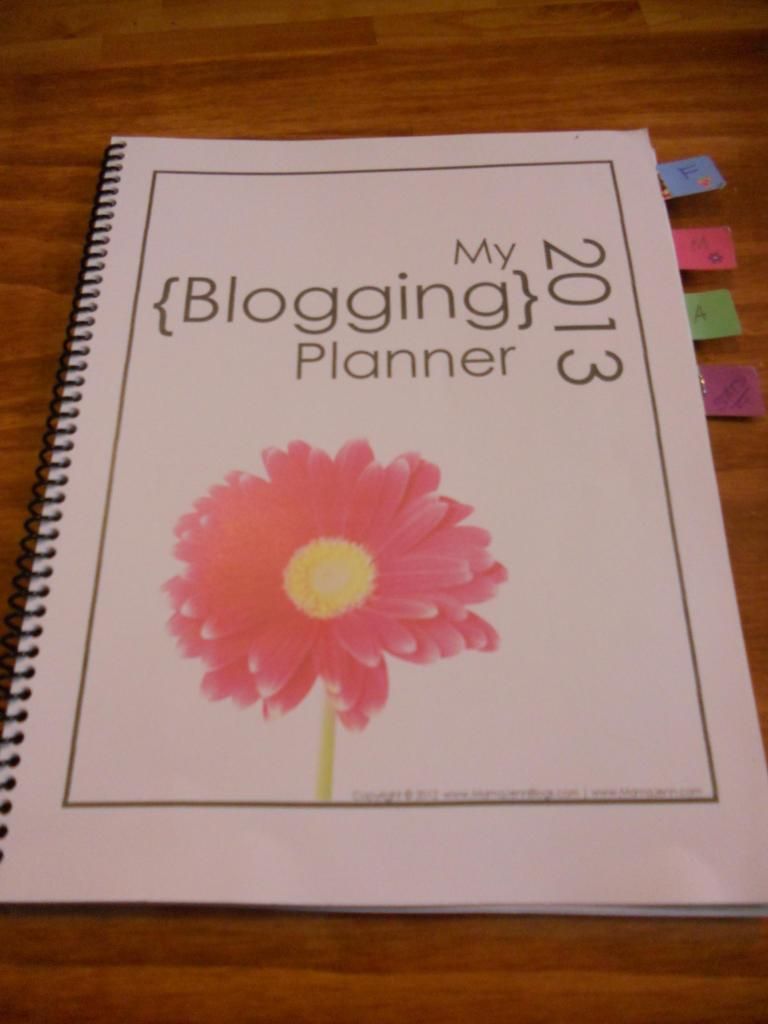
How did I use this planner? I printed it out and had it spiral bound at the local office store. I then used tabs to bookmark the months. I have the current month, next month and blog statistics marked. This makes it easier to find the page that I am looking for.

Here are some things that I learned since I started to use Mama Jenn's Blog Planner. First, my blog was the perfect size to get a planner. This planner has shown me the potential of my blog. I now realize that I can use this planner to take my blog to the next level.

Click here to get your copy of Mama Jenn's Blog Planner.